

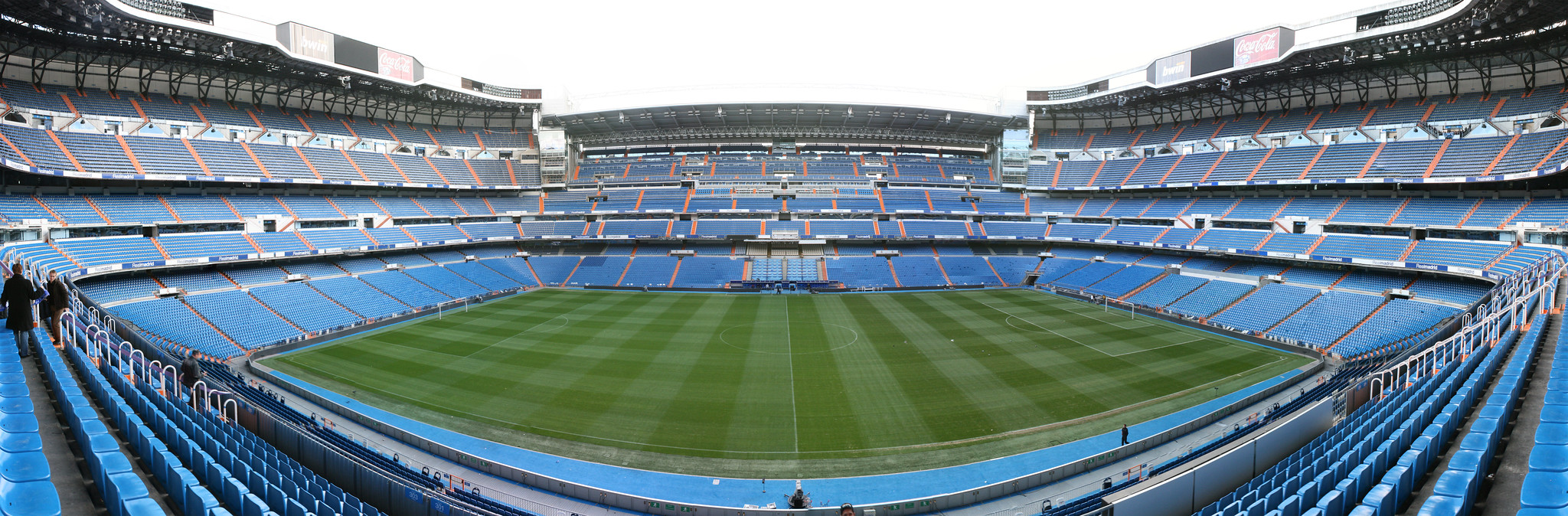
Creating captivating visuals is a crucial part of successful online content. Whether it’s for social media, a blog post, or a LinkedIn article, high-quality images and videos can significantly enhance audience engagement.
Today, we’ll look at how you can use a code interpreter, like Python, to generate a panoramic video from a wide-angle image.
Code interpreters are versatile tools that can perform a wide range of tasks, including image and video editing.
With a few lines of code, you can automate complex processes and generate stunning visuals. This can be particularly useful for creating unique content for your online platforms.
Step-by-Step Guide: Creating a Panoramic Video
Here’s how we created a panoramic video from a wide-angle image, using Python and the imageio library:
- Load the image: Use imageio’s
imreadfunction to load the image into memory. - Calculate sizes: Determine the size of the video frame based on your desired aspect ratio and calculate the number of frames based on the frame step size.
- Crop the image: If necessary, crop the edges of the image so that the size of the image is divisible by the frame step.
- Create a video writer: Use imageio’s
get_writerfunction to create a writer object, specifying the output video file and frame rate. - Generate and write frames: Use a loop to generate each frame of the video by slicing the image and append each frame to the video file.
- Close the writer: After all frames have been written, close the writer to finalize the video file.
Here’s the Python code that puts all these steps together:
import imageio
from imageio import get_writer
Load the image
img = imageio.imread(“your_image.jpg”)
Calculate sizes
height, width, _ = img.shape
aspect_ratio = (16, 9) # adjust as needed
frame_step = 12 # adjust as needed
video_height = height
video_width = int(video_height * aspect_ratio[0] / aspect_ratio[1])
num_frames = (width – video_width) // frame_step + 1
Crop the image
if width % frame_step != 0:
width = (width // frame_step) * frame_step
img = img[:, :width]
Create a video writer
fps = 20 # adjust as needed
video_file = “your_video.mp4”
writer = get_writer(video_file, fps=fps)
Generate and write frames
for direction in [1, -1, 1, -1]:
for i in range(num_frames)[::direction]:
frame = img[:, iframe_step : iframe_step + video_width]
writer.append_data(frame)
Close the writer
writer.close()
Simply use this prompt and adapt it to your needs
This image is a panoramic shot.
Help me turn it into a video with aspect ratio 16:9, with the image filling the entire video (so the sides are cut off).
The video should be centered in the middle of the image.
Then, pan the video smoothly (with no sudden jumps) as follows: 25 fps
Start: Center –> Right –> Center –> Left –> Center: End
Use the imageio library to help you.
Save the frames directly to a video file instead of into a list.
Use a frame step of 12 pixels. If necessary, crop the edges of the image so that the size of the image is divisible by the frame step.
This is just the tip of the iceberg when it comes to image and video editing with code. Here are a few other things you can do:
- Resizing images: Easily adjust the size of your images to fit specific requirements.
- Applying filters: Apply various filters to your images, like blurring, sharpening, or creating a sepia tone.
- Adding text or graphics: Overlay text or other graphics onto your images or videos.
- Creating GIFs: Turn a series of images or a video into a GIF.
- Color manipulation: Change the color balance, saturation, or brightness of your images.
In conclusion, with a little bit of coding knowledge, you can unlock a wide range of possibilities for creating and editing your visuals.
Whether you’re a content creator, a marketer, or just someone who loves to create, using a code interpreter can greatly enhance your creative process.